
Desk work can contribute to neck pain, back discomfort, headaches, wrist symptoms, and stiffness in the hips and legs. These problems usually develop gradually from prolonged sitting, repeated movements, limited position changes, or a workstation that does not fit the person using it.
For residents of Lynbrook, NY, desk work may take place in a home office, a shared workspace, or a compact room where furniture must serve several purposes. The setting matters less than the daily habits surrounding it. Even a well-designed workstation can become uncomfortable if the body remains in one position for hours.
What injuries are commonly associated with desk jobs?
The most frequent desk-related problems involve the neck, shoulders, upper back, lower back, wrists, and hands. Some symptoms are caused by muscle fatigue, while others may involve irritated joints, tendons, nerves, or spinal structures.
Common examples include:
- Neck strain from leaning toward a monitor or holding the head in a forward position
- Shoulder and upper-back tension from raised shoulders or unsupported arms
- Lower-back pain related to prolonged sitting or insufficient movement
- Wrist and forearm irritation from repeated typing or mouse use
- Hip tightness and leg stiffness after sitting for long periods
- Tension-type headaches associated with neck and upper-back muscle strain
- Numbness, tingling, or weakness caused by pressure or irritation affecting a nerve
Desk work does not automatically cause a serious injury. However, persistent discomfort can affect concentration, sleep, exercise, and ordinary household activities if it is ignored.
How can poor posture lead to pain?
Poor posture increases the effort required from muscles and joints to support the body. A head positioned several inches in front of the shoulders, for example, can make the neck and upper-back muscles work continuously rather than intermittently.
Slouching may also reduce the natural support provided by the spine and pelvis. The body often responds by tightening certain muscles while allowing others to become less active. Over time, this imbalance can create soreness, restricted movement, or pain during activities away from the desk.
Posture is not a single “perfect” position that must be maintained all day. Even a balanced sitting position can become uncomfortable if held without interruption. The more useful goal is to change positions regularly and avoid spending most of the workday at the extreme end of any posture.
What should a desk workstation include?
A comfortable workstation allows the eyes, head, arms, back, and legs to remain supported without forcing the body into a fixed position. Adjustments should be made to the person, not simply to the furniture.
A practical setup usually includes:
- A monitor positioned directly in front of the user, with the top portion near eye level
- A screen distance that allows reading without leaning forward
- Elbows resting near the sides of the body, generally around a right angle
- Feet supported on the floor or on a stable footrest
- A chair that supports the lower back without pressing uncomfortably into it
- A keyboard and mouse close enough to prevent reaching
- Shoulders relaxed rather than lifted toward the ears
- Frequently used items placed within easy reach
A laptop can be convenient but often creates a compromise: the screen may be too low when the keyboard is at a comfortable height. For longer work sessions, using a separate keyboard and mouse can allow the screen to be raised while keeping the arms in a more natural position.
How often should someone move during the workday?
Frequent brief movement is generally more helpful than waiting for one long stretch break. A person may stand, walk, or change position for a minute or two every 20 to 30 minutes, depending on the work demands and available flexibility.
Useful movements include:
- Standing while reviewing a short message
- Walking to get water
- Gently rolling the shoulders
- Turning the head slowly within a comfortable range
- Extending the hips and legs after sitting
- Opening and closing the hands after extended typing
- Taking a short walk during a natural pause in the workday
Movement should not be forced through sharp pain, numbness, or increasing symptoms. Gentle activity is often appropriate, but the body’s response over the next several hours can provide more useful information than how a stretch feels in the moment.
Are standing desks a solution for desk-related pain?
A standing desk may help some people vary their position, but standing continuously is not automatically better than sitting. Prolonged standing can contribute to foot, calf, knee, hip, or lower-back discomfort, particularly on hard flooring or when the workstation is not adjusted properly.
A sit-stand arrangement is most useful when it allows regular changes in position. The screen, keyboard, and mouse should remain at appropriate heights in both positions. Weight should be shifted comfortably from one leg to the other, and short walks are still valuable.
The goal is not to eliminate sitting entirely. It is to avoid uninterrupted sitting and to choose positions that remain comfortable without producing symptoms.

When is desk-related pain a warning sign?
Most mild soreness connected with work habits improves when the person changes position, reduces the aggravating activity, and allows time for recovery. Symptoms deserve more attention when they are persistent, worsening, or affecting strength and coordination.
Prompt medical evaluation is appropriate for symptoms such as:
- New or progressive weakness in an arm or leg
- Numbness that does not resolve or is spreading
- Loss of balance or difficulty walking
- Severe pain after a fall, collision, or other injury
- Loss of bladder or bowel control
- Fever, unexplained weight loss, or severe illness with back pain
- A sudden, severe headache unlike previous headaches
- Chest pain, shortness of breath, or pain extending into the jaw or arm
These symptoms may not be caused by a workstation problem and should not be managed solely with posture changes or stretching.
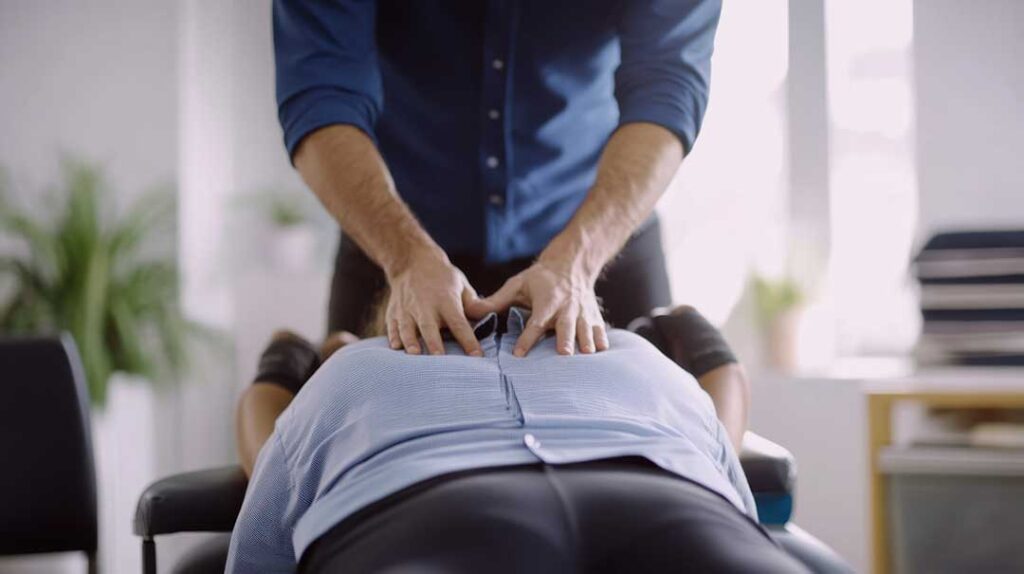
Can chiropractic care be part of addressing desk-related injuries?
Chiropractic care may be used as one part of a broader plan for some musculoskeletal complaints, particularly when the problem involves restricted movement, joint discomfort, or mechanical neck and back pain. A careful evaluation should consider symptom history, physical findings, work demands, sleep habits, activity level, and any warning signs.
Care may include education about movement, ergonomic changes, mobility exercises, strengthening, and hands-on techniques when appropriate. The purpose should be to improve function and reduce aggravating factors rather than to treat every symptom as a spinal alignment problem.
A person with persistent, severe, or unusual symptoms may need evaluation by a medical clinician, physical therapist, or another appropriate health professional. Different causes of pain can look similar at first, so treatment should match the underlying problem.
What daily habits help prevent recurrence?
Prevention usually depends on several modest changes rather than one major adjustment. A workstation should be reassessed after changes in job duties, furniture, monitors, or working location. Home offices may need special attention because dining tables, couches, and beds often place the body in positions that are difficult to sustain.
Helpful habits include:
- Starting the day with light movement rather than immediately sitting for several hours
- Alternating computer tasks with phone calls, reading, filing, or walking when possible
- Keeping work materials close enough to avoid repeated twisting or reaching
- Using both hands and changing mouse habits when practical
- Maintaining regular physical activity outside work hours
- Paying attention to sleep position and pillow height if neck symptoms are present
- Responding early to recurring discomfort instead of waiting for severe pain
Seasonal routines can also influence symptoms. During colder months, people may move less and spend longer periods indoors, while summer schedules may involve more driving, outdoor work, or recreational activity. Adjusting movement and workstation habits as routines change can reduce repeated strain.
The most useful measure of improvement is not perfect posture. It is whether discomfort becomes less frequent, movement becomes easier, and ordinary work and home activities can be completed without escalating symptoms.
