

Working from home can make posture harder to manage because dining chairs, couches, beds, and improvised desk setups often replace an office workstation. In Lynbrook, NY, many residents also balance remote work with limited-space rooms, shared household areas, and changing routines throughout the day. A few practical adjustments can reduce strain on the neck, shoulders, back, wrists, and hips.
What does good work-from-home posture look like?
Good posture is a balanced position that allows the head, spine, arms, and legs to work without excessive muscular effort. It does not mean holding the body rigidly or staying perfectly still for hours.
A comfortable workstation generally allows:
- The head to remain level rather than tilted forward.
- The ears to rest roughly over the shoulders.
- The shoulders to stay relaxed instead of lifted or rounded.
- The elbows to remain close to the body, usually near a 90-degree angle.
- The lower back to receive gentle support.
- The hips to sit slightly higher than the knees, if comfortable.
- Both feet to rest on the floor or on a stable footrest.
The goal is not a single “perfect” position. The goal is to avoid staying in one stressful position for too long.
Why does working from home often lead to poor posture?
Home workstations are frequently designed around available furniture rather than body support. A laptop may sit too low on a kitchen table, a soft couch may allow the pelvis to sink backward, or a dining chair may lack lower-back support. These arrangements can gradually pull the head forward and round the upper back.
Screens also influence posture. If text appears small, a person may lean toward the display. If a laptop is placed off to one side, the neck and trunk may rotate repeatedly. Working from a bed or recliner can feel comfortable at first but often makes it difficult to keep the spine, wrists, and hips in a neutral position.
Household habits matter as well. Remote workers may answer messages from several rooms, carry a laptop between floors, or work through long stretches without the natural movement that occurs during commuting and office transitions.
How should a laptop or monitor be positioned?
The top portion of a monitor should generally be near eye level, with the screen positioned about an arm’s length away. The screen should be centered directly in front of the body so the neck does not remain turned.
A laptop creates a common compromise: its keyboard is at a convenient height for the hands, but its screen is usually too low for the eyes. For longer work sessions, raising the laptop on a stable platform and using a separate keyboard and mouse can help. The setup should remain secure and should not force the shoulders to reach forward.
If multiple screens are used, the primary screen should be centered. A secondary screen can sit beside it, but frequently used content should not require repeated extreme rotation of the neck.
Glare can also affect posture. Bright reflections may cause squinting, leaning, or twisting to see the display. Adjusting blinds, changing the angle of the screen, or repositioning a lamp may reduce these compensations.
What chair adjustments help protect the lower back?
A chair should support the pelvis without forcing the body into a slouched position. Sit back far enough that the lower back is supported, while keeping the feet stable. If the chair is too deep, a small cushion or rolled towel behind the lower back may provide useful support.
Avoid perching on the front edge of the seat for long periods. This position often increases tension in the thighs and lower back. At the same time, avoid sinking deeply into a soft cushion that rounds the pelvis and spine.
A useful check is to sit with the hips level and the knees comfortably bent. The feet should not dangle. If the chair is too high, a stable footrest can prevent pressure behind the thighs and reduce the tendency to slide forward.
Armrests are helpful only if they allow the shoulders to remain relaxed. If they push the elbows outward or prevent the chair from moving close enough to the desk, they may create more strain than support.
How often should someone move during the workday?
Changing position regularly is more useful than trying to maintain one posture all day. A brief movement break every 30 to 60 minutes can interrupt accumulated tension, especially during long video meetings or focused computer work.
Movement breaks do not need to be elaborate. Stand up, walk through the home, refill water, gently roll the shoulders, or look across the room to relax the eyes. A minute or two can help reset the body.
For people working in compact homes, a simple rotation of locations may help if each area is reasonably supportive. For example, a desk can be used for focused computer work, while standing at a counter may be suitable for a short phone call. Soft furniture is best reserved for brief tasks rather than extended typing.
Which stretches and exercises are reasonable during the day?
Gentle mobility exercises can reduce stiffness, but they should not cause sharp, spreading, or worsening pain. Useful options include:
- Slowly turning the head from side to side within a comfortable range.
- Drawing the shoulder blades gently backward and downward.
- Stretching the chest by placing the forearms against a doorway and taking a small step forward.
- Standing up and extending the hips after prolonged sitting.
- Performing slow ankle pumps or short walks to reduce stiffness in the legs.
- Taking several relaxed breaths while allowing the ribs and abdomen to expand.
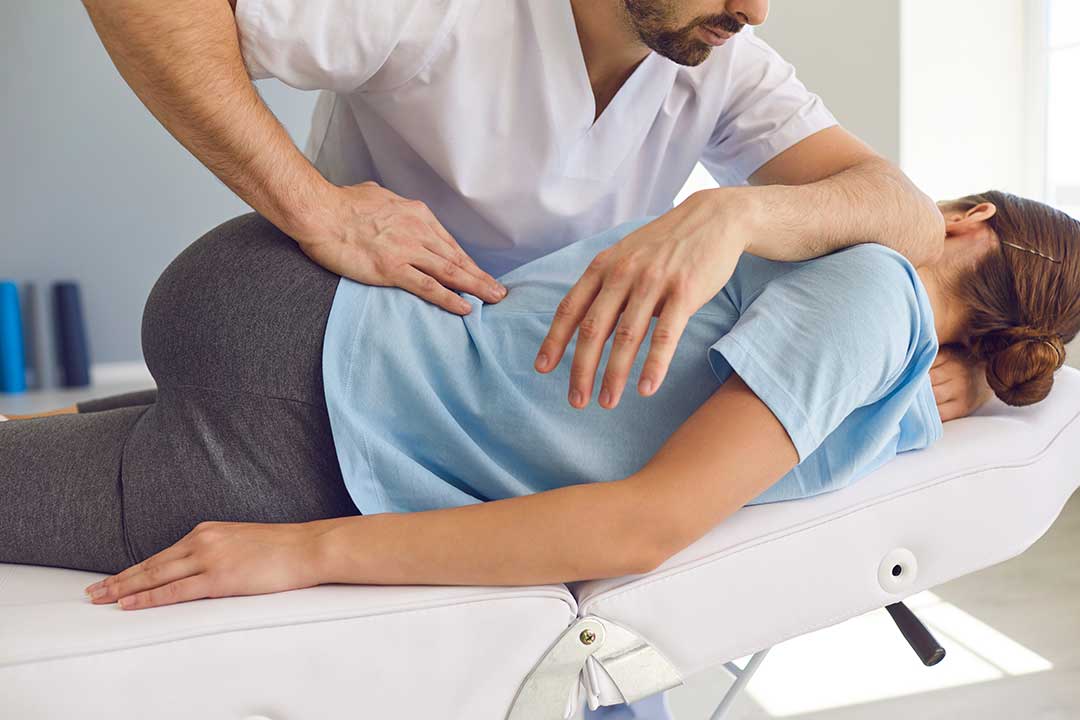
Strengthening the upper back, hips, and abdominal muscles may also support comfortable movement. However, exercises should match a person’s current abilities and any existing medical conditions. A movement that feels mild and relieving is generally more appropriate than forceful stretching or aggressive self-adjustment.
What posture mistakes are easy to overlook?
One overlooked issue is the phone. Cradling it between the ear and shoulder can strain the neck, while prolonged texting can keep the head bent forward. Using speaker mode or a headset for longer conversations may reduce this habit.
Another issue is the mouse. A mouse placed too far away encourages the shoulder to reach forward. Keeping it close to the keyboard can help the elbow stay near the body.
Remote workers may also forget that vision affects posture. If reading glasses, screen brightness, or text size are inadequate, the body may lean forward repeatedly. Increasing text size and arranging lighting can be as helpful as adjusting the chair.
Seasonal routines can influence movement, too. During colder or wetter periods, people may spend more hours indoors and take fewer natural walking breaks. Building short indoor movement intervals into the workday can prevent long uninterrupted sitting.
When does posture-related discomfort need medical attention?
Mild stiffness that improves with movement is common, but persistent or worsening symptoms deserve attention. Seek medical evaluation for pain that follows an injury, causes significant weakness, produces numbness or tingling, travels into an arm or leg, or interferes with walking, sleep, or routine activities.
Sudden severe pain, loss of bladder or bowel control, numbness in the groin area, or rapidly progressing weakness requires urgent medical attention.
For ordinary work-from-home discomfort, begin by changing the workstation, reducing uninterrupted sitting, and observing which activities trigger symptoms. Keeping brief notes about timing, location, and severity can make it easier to recognize patterns and communicate clearly if further evaluation becomes necessary.
